Auto-Sensing LED Vehicle Warning Light
Auto-Sensing LED Vehicle Warning Light


BUNDLE & SAVE
Couldn't load pickup availability

Auto-Sensing LED Vehicle Warning Light
Solar Charging · Light-Sensing Flash · No Wiring
SolarGuard Auto-Sensing LED Vehicle Warning Light
A compact black warning light that recharges in daylight and produces a visible flash in darker conditions. Choose red or blue to match your preferred look.
Uses available daylight for routine charging.
Off in bright conditions and flashing when dark.
Adhesive mounting with no vehicle connection.
Auxiliary charging for extended low-light periods.

A Visible Signal After Dark
Bright Conditions Off. Dark Conditions Flashing.
With the side switch turned on, the ambient-light sensor manages the LED automatically. It stays off in bright surroundings and flashes at intervals when the cabin becomes dark.
Set It Once And Let The Light Respond
The LED flashes approximately once every five seconds in darker conditions, creating a clear warning presence without permanent installation.

Visible Through The Glass
A Clear Warning Presence On Dark, Rainy Nights
Placed near the windshield, the red LED creates a focused point of light that remains easy to notice through the glass while keeping the unit compact inside the cabin.

Choose Your Warning Light
One Black Shell. Two LED Colors.
Both options share the same compact black housing, solar panel, light-responsive operation and adhesive installation.
A vivid red warning flash for darker conditions.
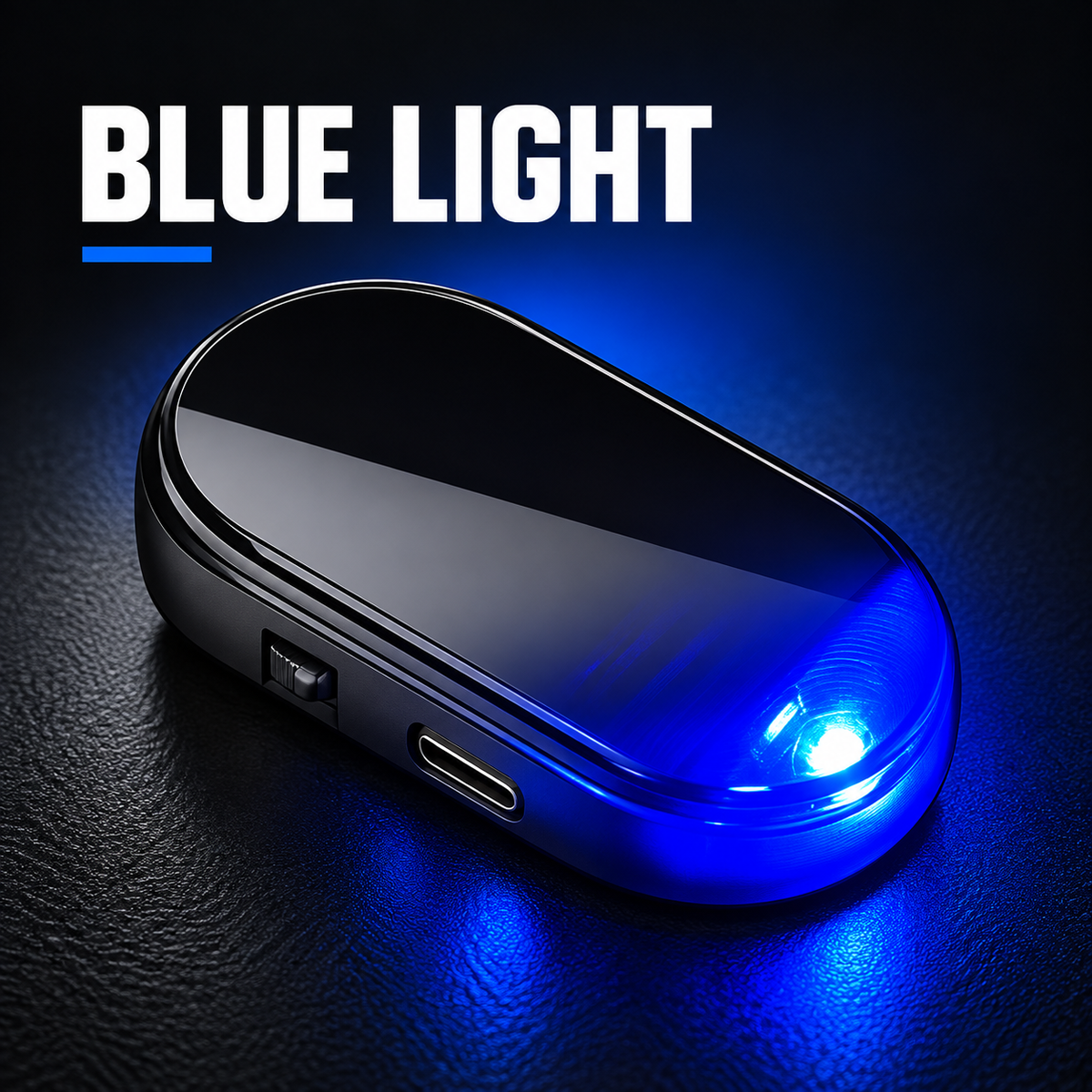
A vivid blue warning flash for darker conditions.
Red LED Option
A Bold Red Flash In A Clean Black Housing
The red-light version adds a warm, high-contrast warning signal while keeping the exterior discreet during the day.

Blue LED Option
A Cool Blue Flash With The Same Compact Design
The blue-light version gives the same solar charging and light-responsive flashing in a crisp blue color.

Flexible Charging
Solar For Daily Use. Type-C Support When Needed.
The top panel collects available daylight for routine charging. During extended cloudy or rainy periods, the Type-C port offers an auxiliary charging option.

Simple Interior Setup
Ready In 3 Easy Steps
Use the double-sided adhesive pad to secure the light on a clean, dry, flat interior surface where the top panel can receive daylight.
Select a flat interior spot near the windshield or rear-view mirror area without blocking the driver’s view.
Clean and dry the surface, remove the adhesive backing and press the light firmly into place.
Turn on the side switch and place the solar panel where it can receive available daylight.

Know Before You Buy
Product Details
Solar LED vehicle warning light
Black shell with red light / Black shell with blue light
Side switch with ambient-light sensing
Off in bright conditions; flashes in darker conditions
Approximately once every five seconds
Solar charging with Type-C auxiliary charging
ABS housing
5 × 2.7 cm / 1.97 × 1.06 in
Double-sided adhesive pad; no drilling or vehicle wiring required
Vehicle interior on a clean, dry, flat surface with access to daylight
Questions, Answered
Frequently Asked Questions
Does this light need to connect to the vehicle wiring?
No. It uses solar charging for routine use and installs with a double-sided adhesive pad.
When does the LED flash?
With the side switch on, the LED remains off in bright surroundings and flashes at approximately five-second intervals when the surroundings become dark.
What is the difference between the two variants?
Both variants have the same black shell and functions. The only selection is the LED color: red or blue.
What if there has not been enough sunlight?
The Type-C port can be used for auxiliary charging during extended cloudy or rainy periods.
Where should I install it?
Choose a clean, dry, flat interior surface where the top panel receives daylight and the LED remains visible. Do not block the driver’s view, controls, sensors or airbags.
Choose Red Or Blue. Keep The Warning Visible.
Add a compact, light-responsive LED warning signal to your vehicle interior without permanent wiring.
Note: For vehicle-interior use. Install only where the light will not obstruct the driver’s field of view, vehicle controls, sensors or airbags. Light appearance may vary with ambient conditions and screen settings.